<
Back to design systems
Zededa AI workflow
Client:
Zededa Inc.
Role:
Design systems, AI workflow
Tools and Skills:
Figma, Claude, VS Code, Storybook, GitHub, MCP, token architecture
This project was a demo built for Zededa's technical and design leadership to show why a well-structured token architecture is the foundation of an AI-ready design system. The scope was intentionally focused: build one component using a new AI-assisted workflow, walk the team through the process, and demonstrate what it looks like to use AI without taking humans out of the loop.
The workflow
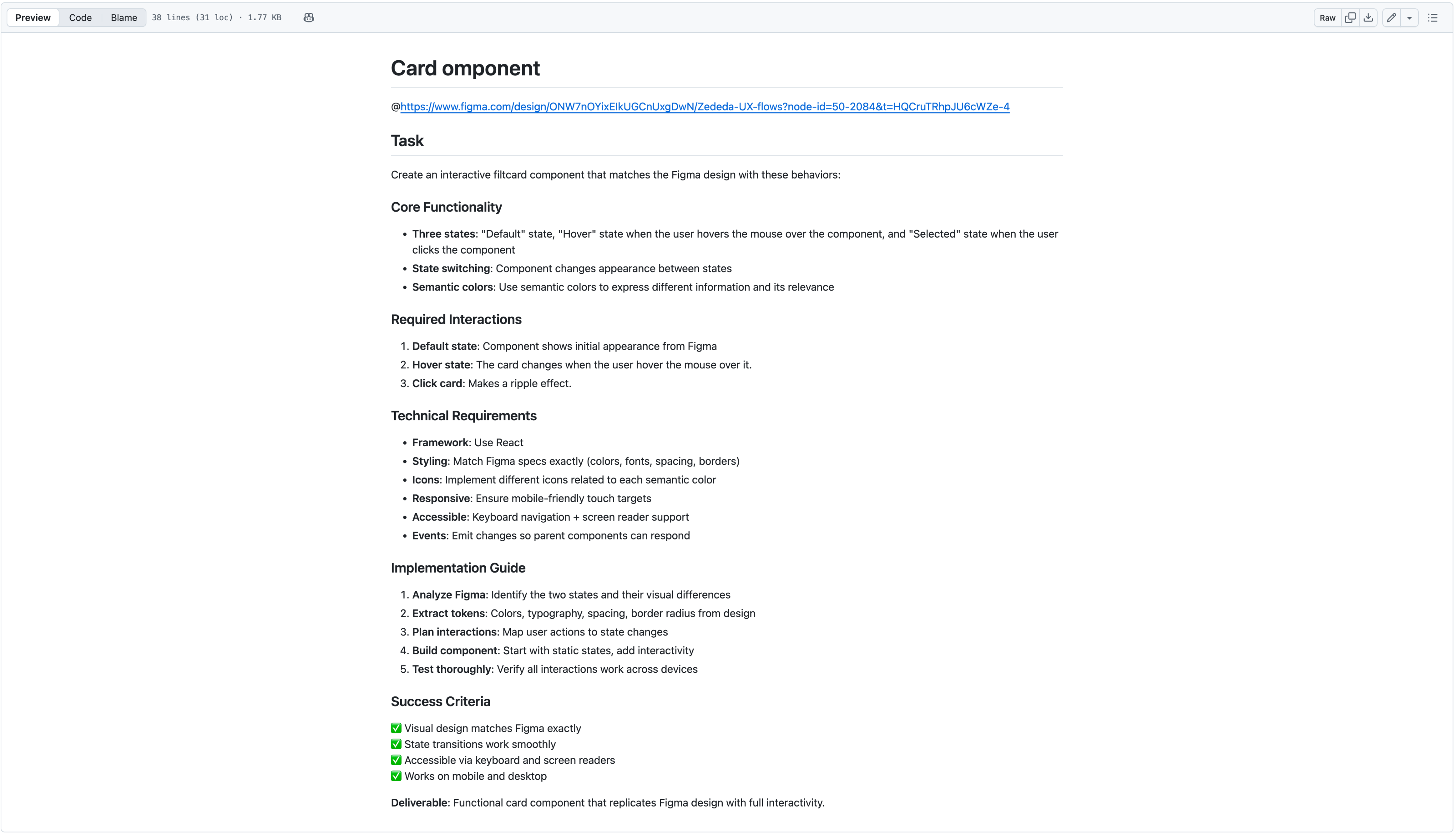
The process starts in Figma with design decisions that resolve into a three-tier token structure. Once the component is defined visually, I created an .md file containing everything Claude needed to generate the component correctly: interaction states, accessibility requirements, the front-end framework, token references, animation specifications, and QA tests. Nothing was left to interpretation.
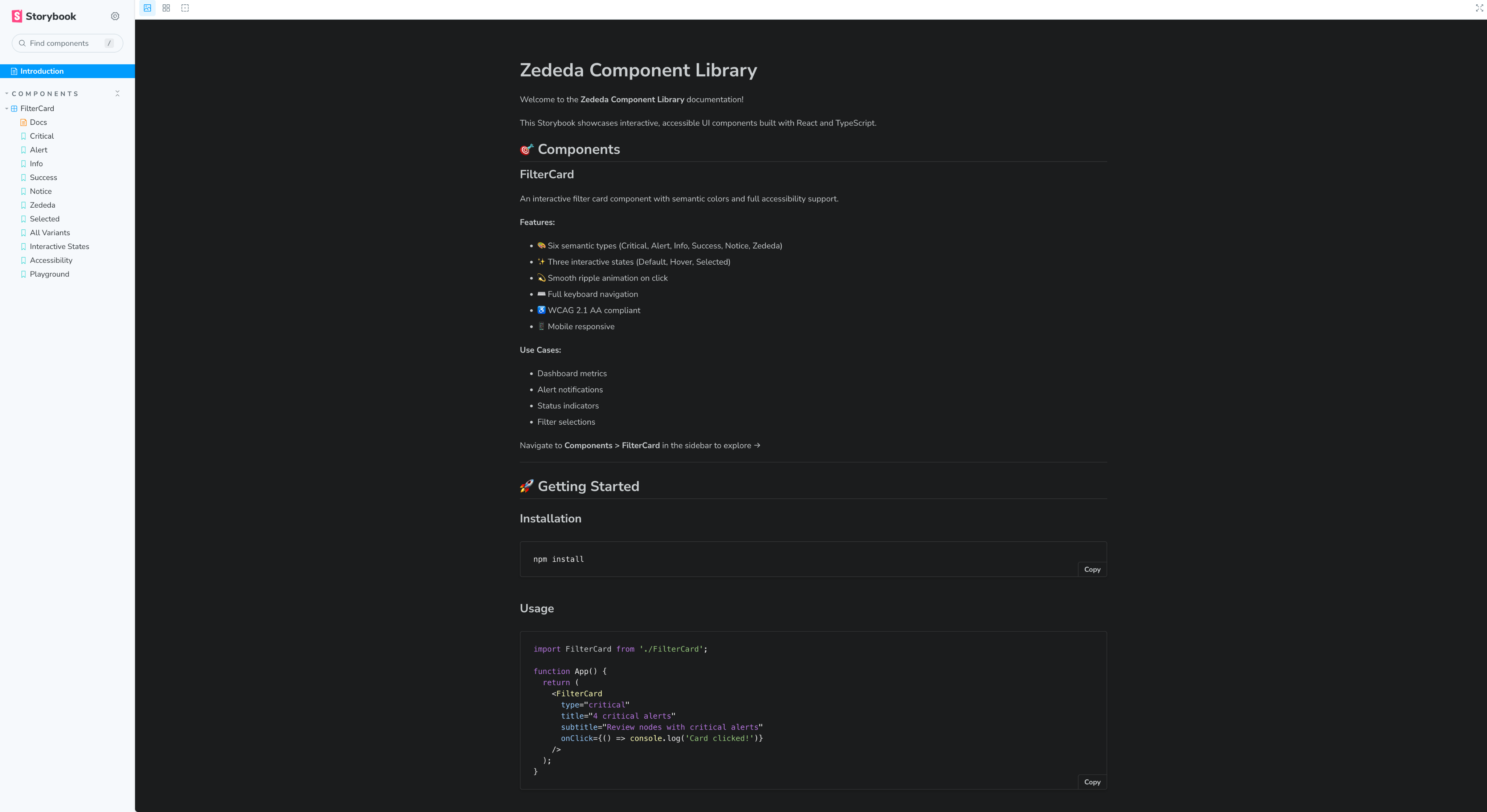
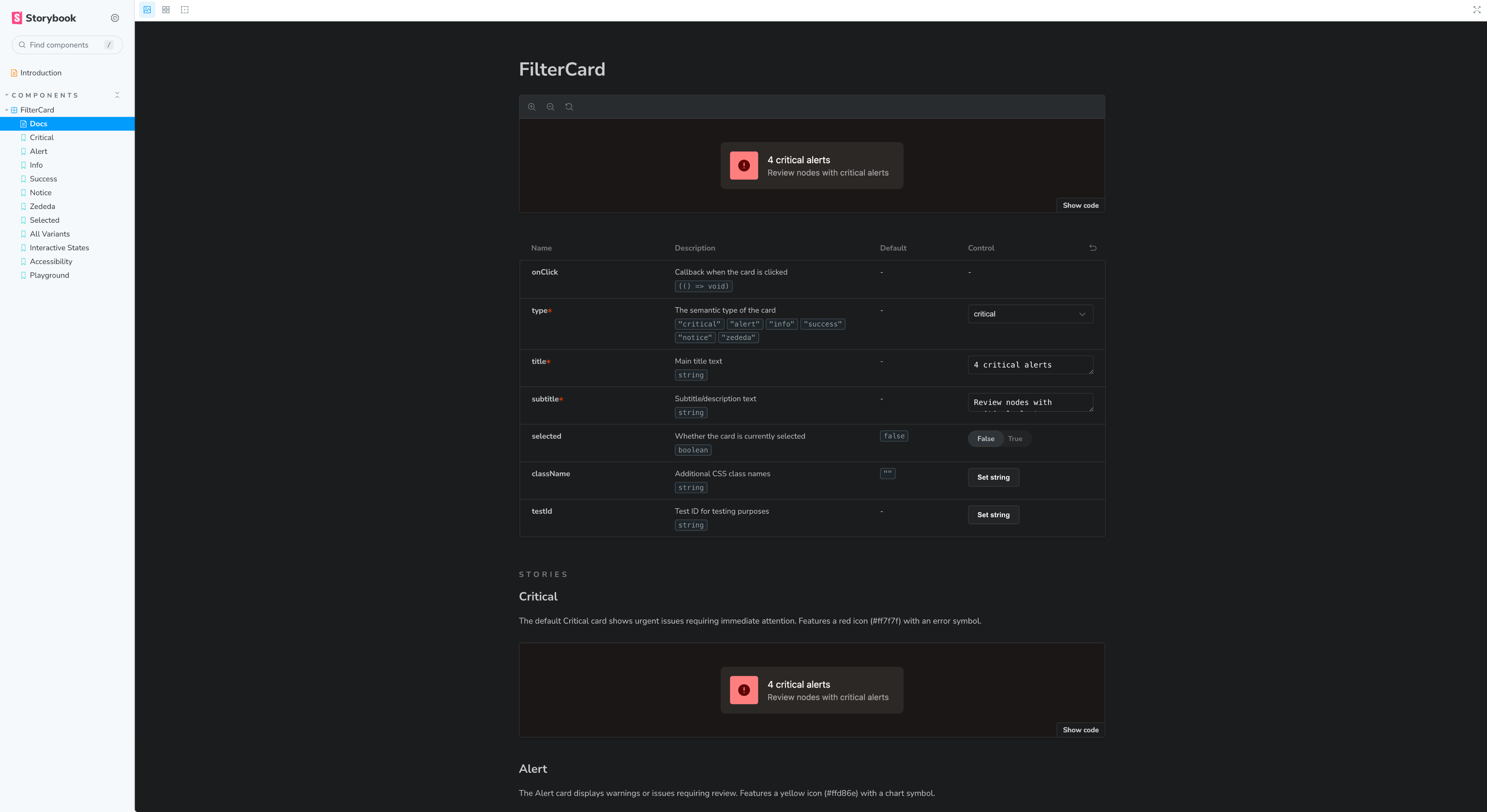
From VS Code, I used the Figma MCP server and Claude to prompt the component into existence, generating the code, pushing it to GitHub, creating a Storybook entry for technical documentation, and building a playground where the component could be tested interactively. The .md file was the bridge between my design intent and the code output.
AI workflow
Tokens in Figma

.md Instruction file

VS Code + Claude code

Github

Storybook + playground





The instruction file
The .md file was the most critical design decision in the entire workflow. It wasn't a prompt. It was a structured specification that left nothing to interpretation. It defined the interaction states the component needed to handle, the accessibility requirements it had to meet, the front-end framework Claude should use, how tokens should be referenced in the code, the animation behavior, and the QA tests that would validate the output.
Writing it well was a design problem in itself. The clearer and more structured the file, the closer the output was to something a developer could actually use. The .md file is where design intent becomes engineering requirement, and getting that translation right is the whole point of the workflow.
.md file


github.com


What it actually does
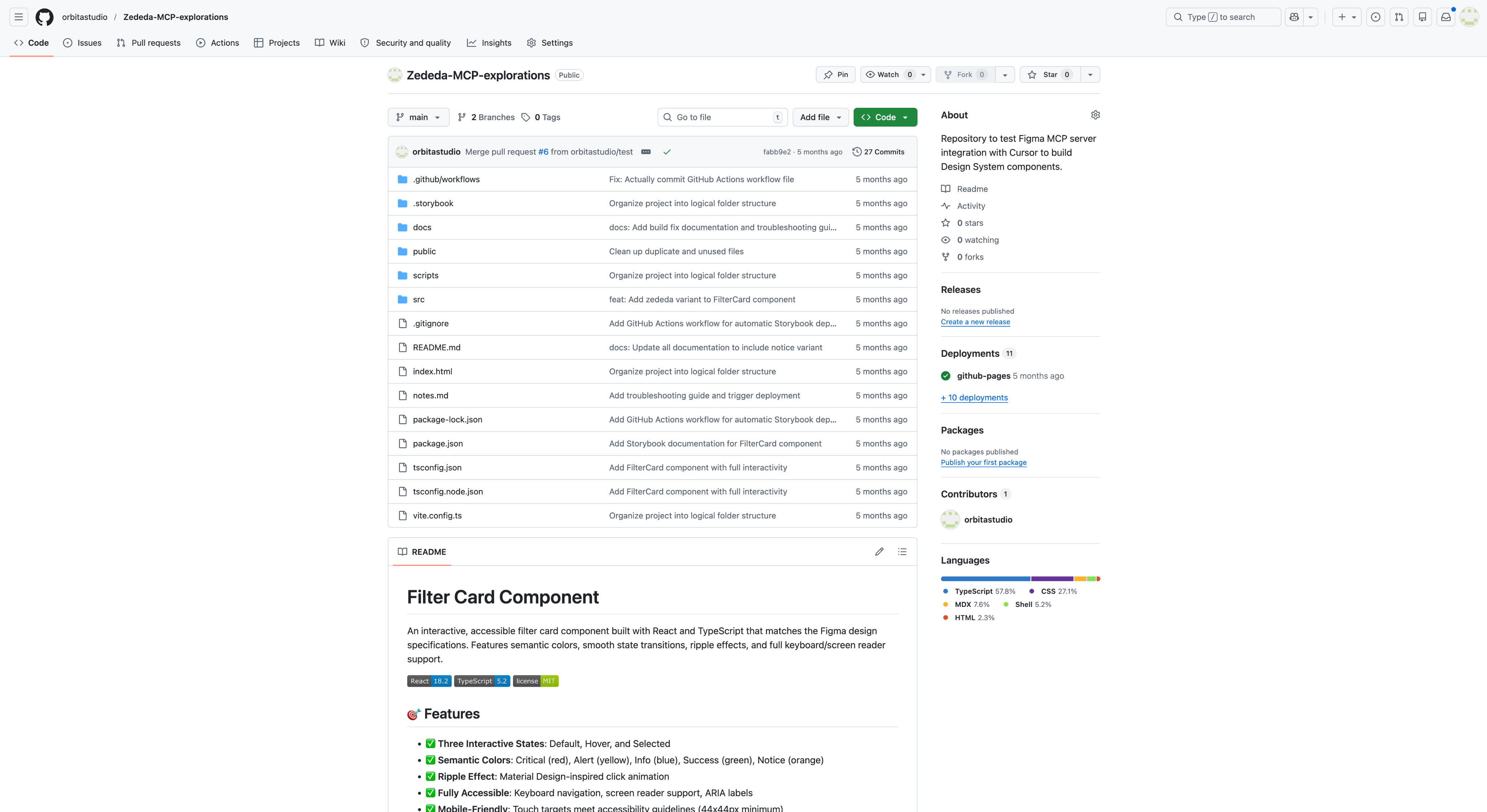
The workflow produces a working component that a front-end developer can use as a starting point rather than a blank file. To keep AI-generated code from contaminating the actual codebase, I suggested maintaining two separate repositories: one where I push AI-generated components, and one with the production codebase. Developers pull from the first, refine what they need, and commit to the second. The gap between design and engineering gets smaller without the boundaries between the two disciplines disappearing.
Github repository

github.com
Storybook documentation
github.com
Storybook playground
github.com
Figma's limitations and why this matters
Figma is an exceptional tool for visual exploration. The infinite canvas and the freedom to move things around freely is still superior to exploring with code. But Figma has real limitations when it comes to micro-interaction animations. Mapping mouse position in a prototype, for example, is possible but unnecessarily complex. In code the same interaction takes minutes.
This workflow does not replace Figma. It complements it. Design exploration happens in Figma where it belongs, and complex interaction behavior is handled in code where it is more precise and easier to maintain. Together they cover what neither does alone.
Outcome
The demo achieved what it needed to. The CTO left with a clear understanding of why token architecture matters as a foundation for AI-assisted development. The development team left more confident about using AI as part of their workflow rather than uncertain about what it would mean for them.