<
Back to design
Zededa UI
Client:
Zededa Inc.
Role:
UX/UI Designer
Tools and Skills:
Figma, visual language, moodboarding, design direction
Zededa approached me to redesign their flagship product, an edge computing platform built to manage distributed infrastructure at scale. Rather than jumping to a single visual direction, I proposed exploring distinct design languages first, giving the client a real choice grounded in their product's identity and their user's needs.
I developed five moodboards, each built around the same central concept, nodes and connections, but interpreted through a different visual and emotional lens. Each direction covered motion, typography, color, and layout, and was explored in both light and dark themes to show how the language would adapt across contexts.
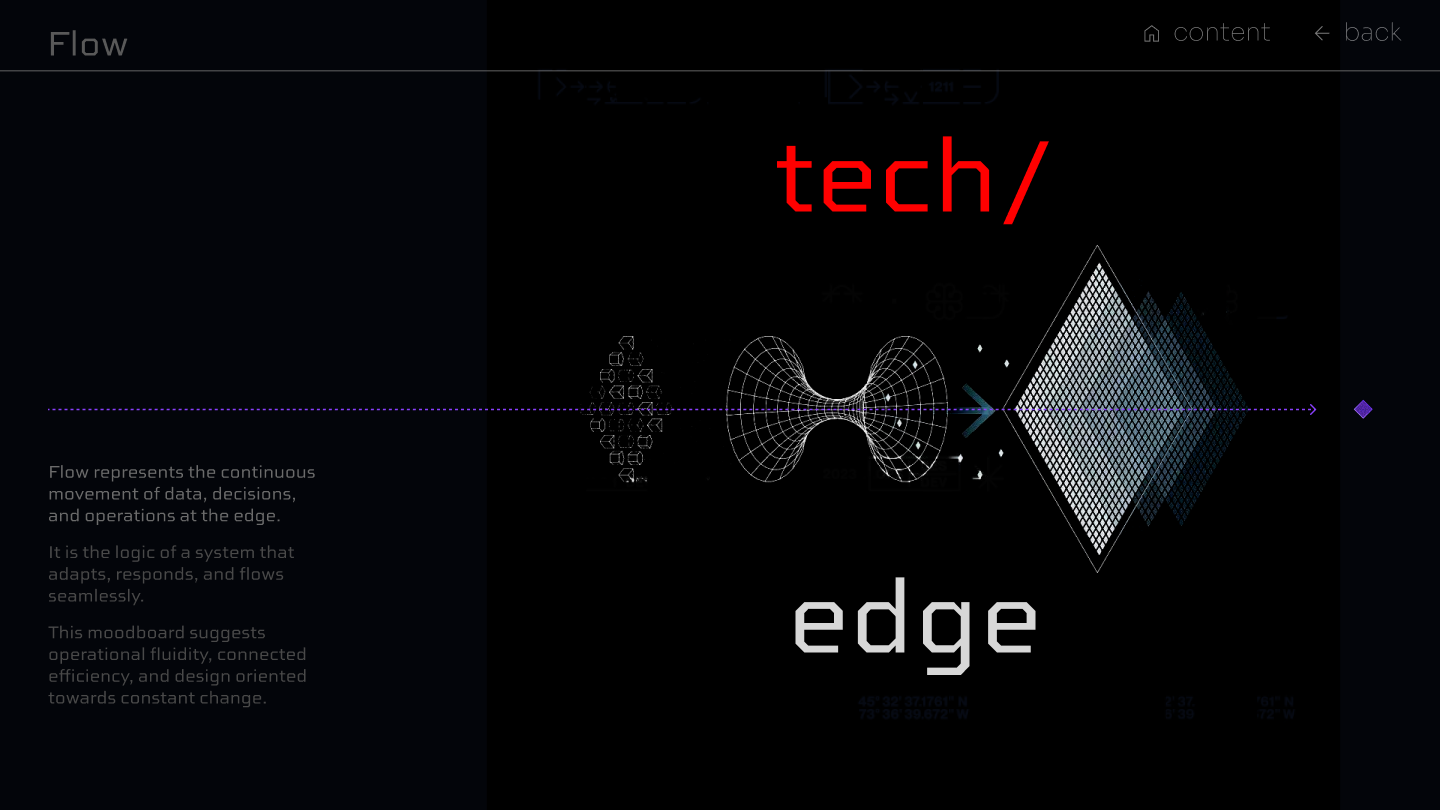
Flow
Flow treats the product as a system in constant motion. Data moving, decisions propagating, operations running at the edge without pause. I built the visual language around geometric wireframes, dotted trajectories, and structured negative space that makes movement feel deliberate rather than chaotic. A product that never stops, but always knows where it's going.
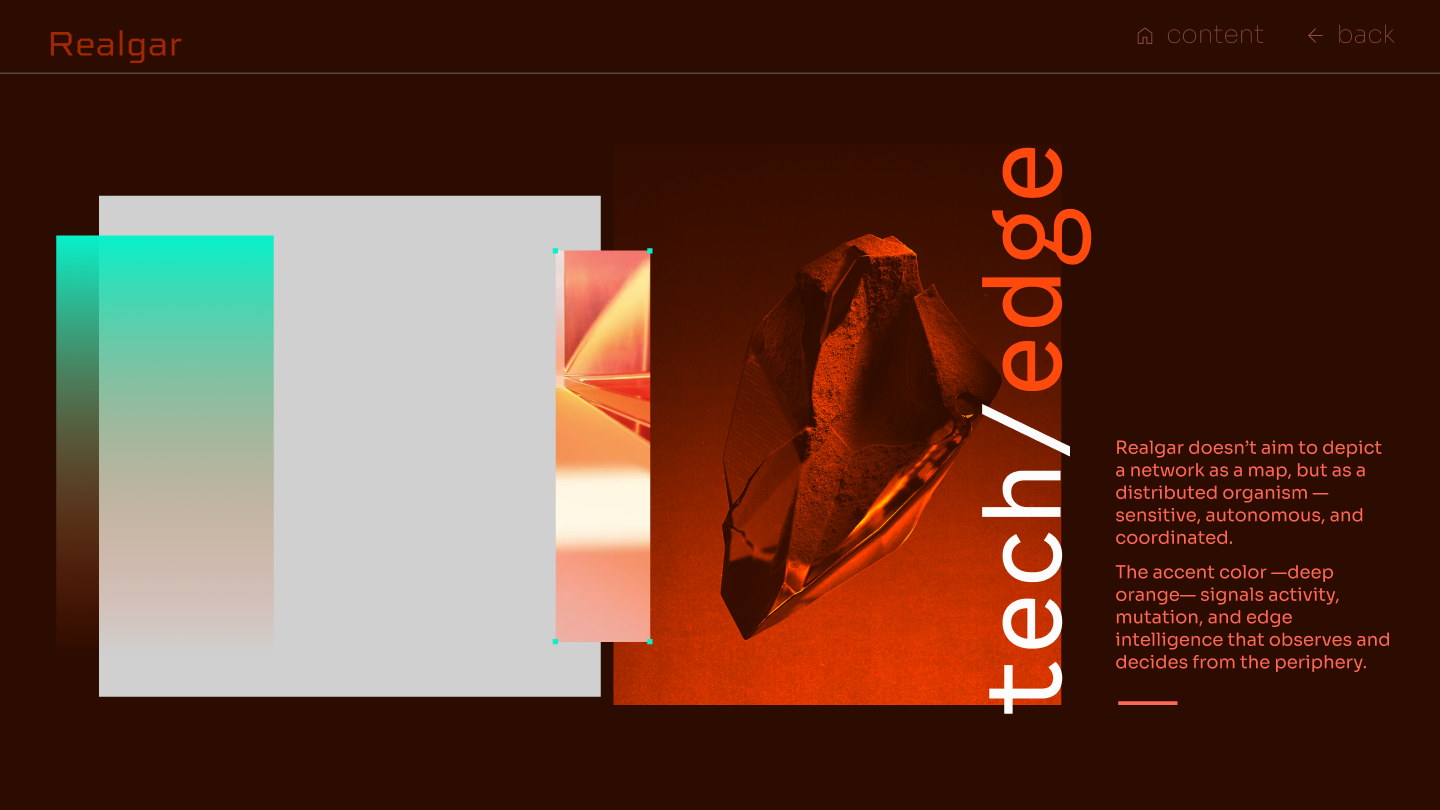
Realgar
Realgar reframes the network not as a map but as a living organism, autonomous, sensitive, and coordinated from the periphery. I used deep burnt orange to signal activity and intelligence at the edge, grounding the direction in dense, mineral references: crystalline forms, layered surfaces, things that have weight and presence. A product that doesn't just process. It decides.
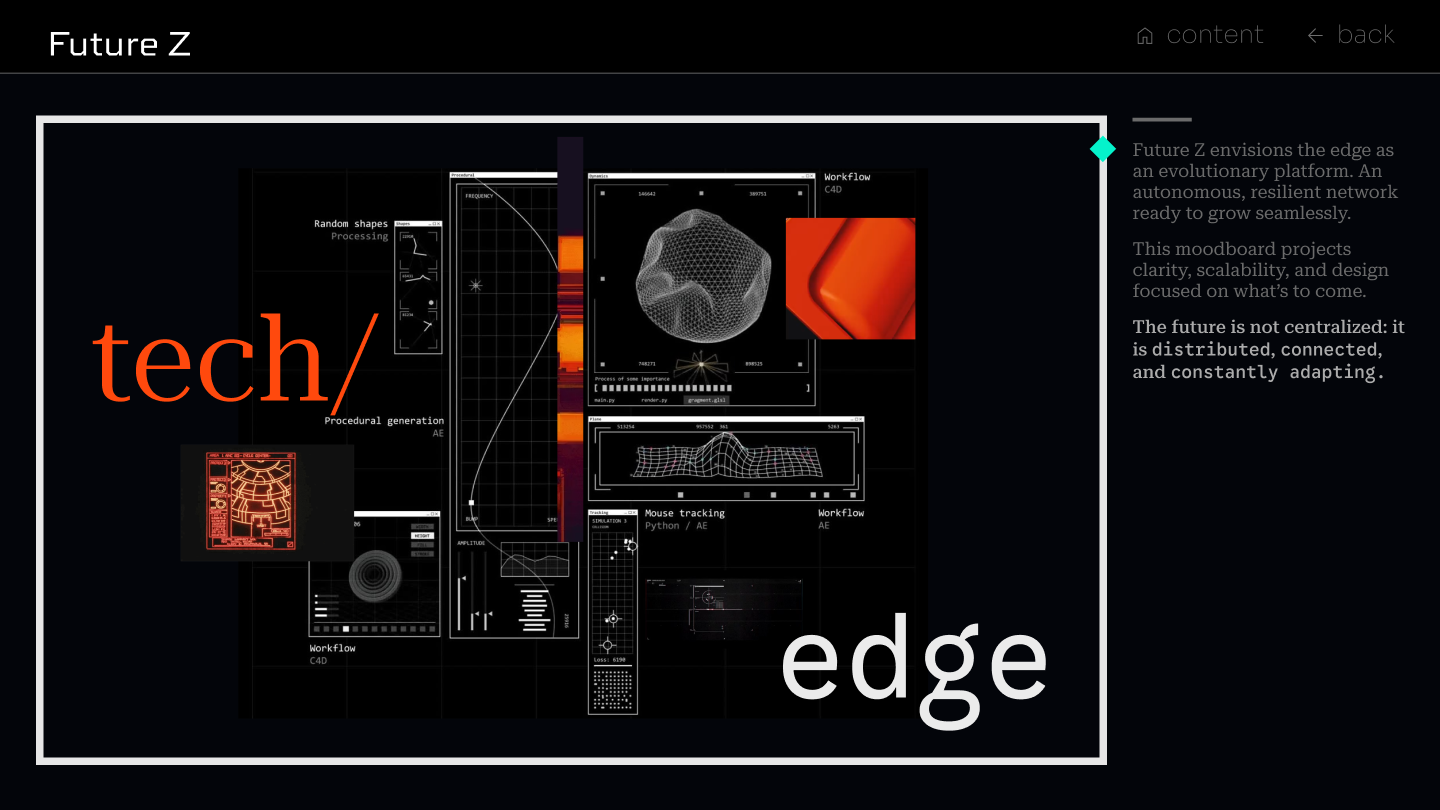
Future Z
Future Z positions the platform as infrastructure for what comes next. I built the visual language from the actual materials of computation: 3D meshes, frequency plots, machine learning interfaces, simulation outputs. The aesthetic isn't borrowed from tech culture, it's constructed from the tools and workflows of the work itself. Distributed, connected, and constantly adapting.
Land
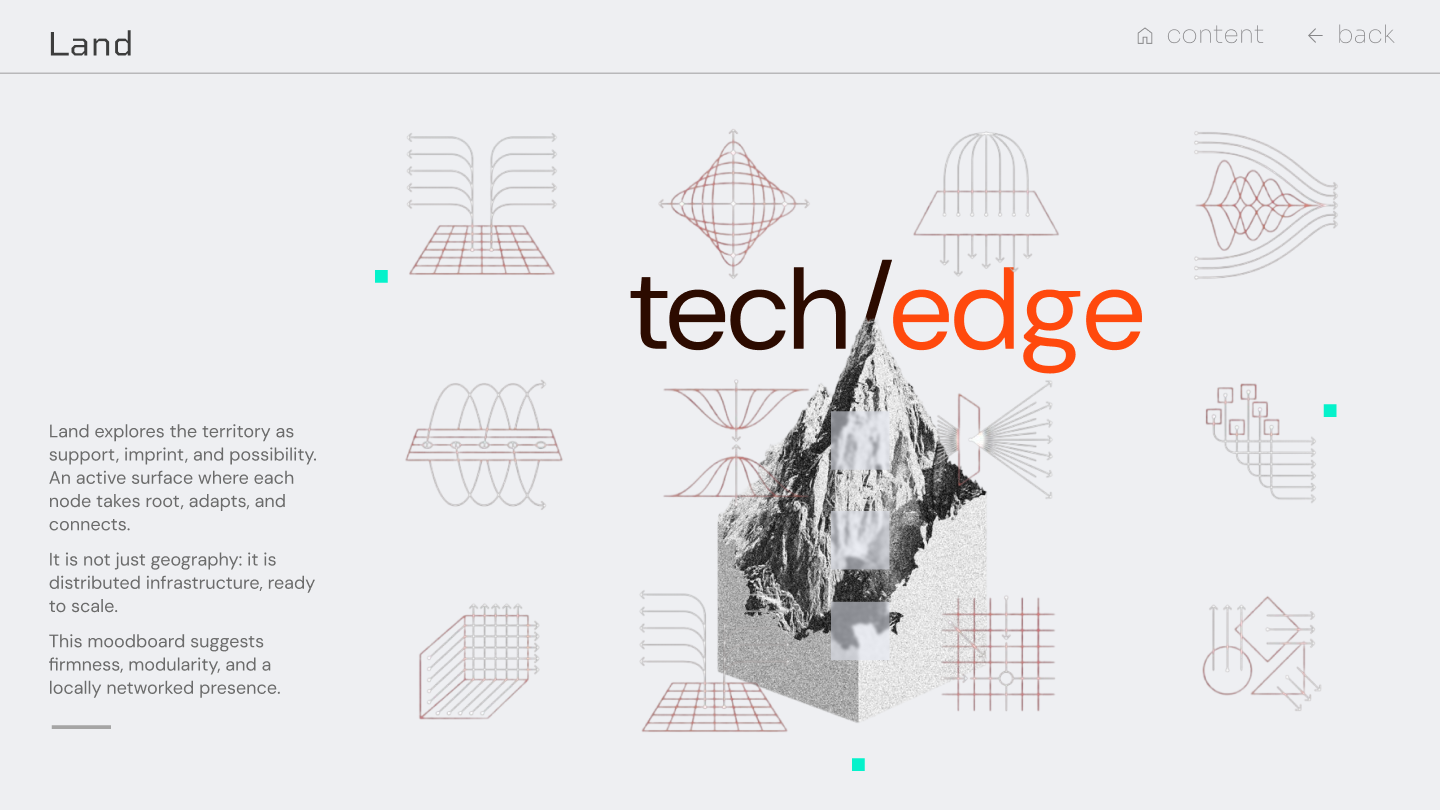
Land treats edge computing as territory; not geography, but distributed infrastructure that takes root wherever it's deployed. I worked with a light, structural palette: technical diagrams, field-survey geometry, and physical forms that suggest something built to last. Each node doesn't just connect, it anchors. Firm, modular, and locally present.
Aura
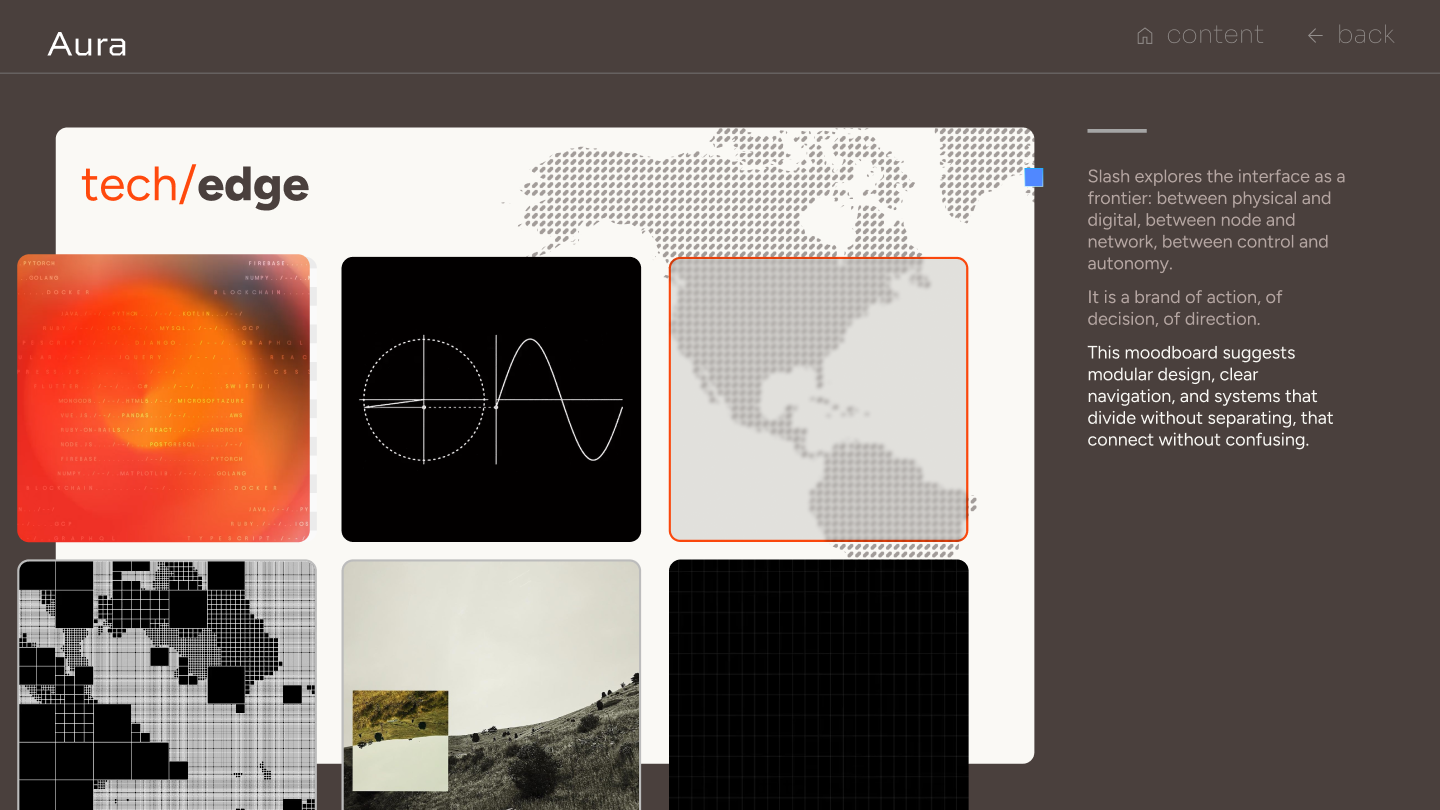
Aura explores the interface as a frontier: between physical and digital, between node and network, between control and autonomy. I built the visual language around modular, editorial references, elements that divide without separating, connect without confusing. A brand of action and direction, built for a product that operates at the boundary of what's known.
The direction
After presenting all five directions, the client chose Aura. Its modular, editorial language, precise without being cold, structured without being rigid, mapped most naturally onto a platform that operates at the boundary between control and autonomy. Aura gave the product a visual identity that felt as sophisticated as the technology behind it.
Applying Aura
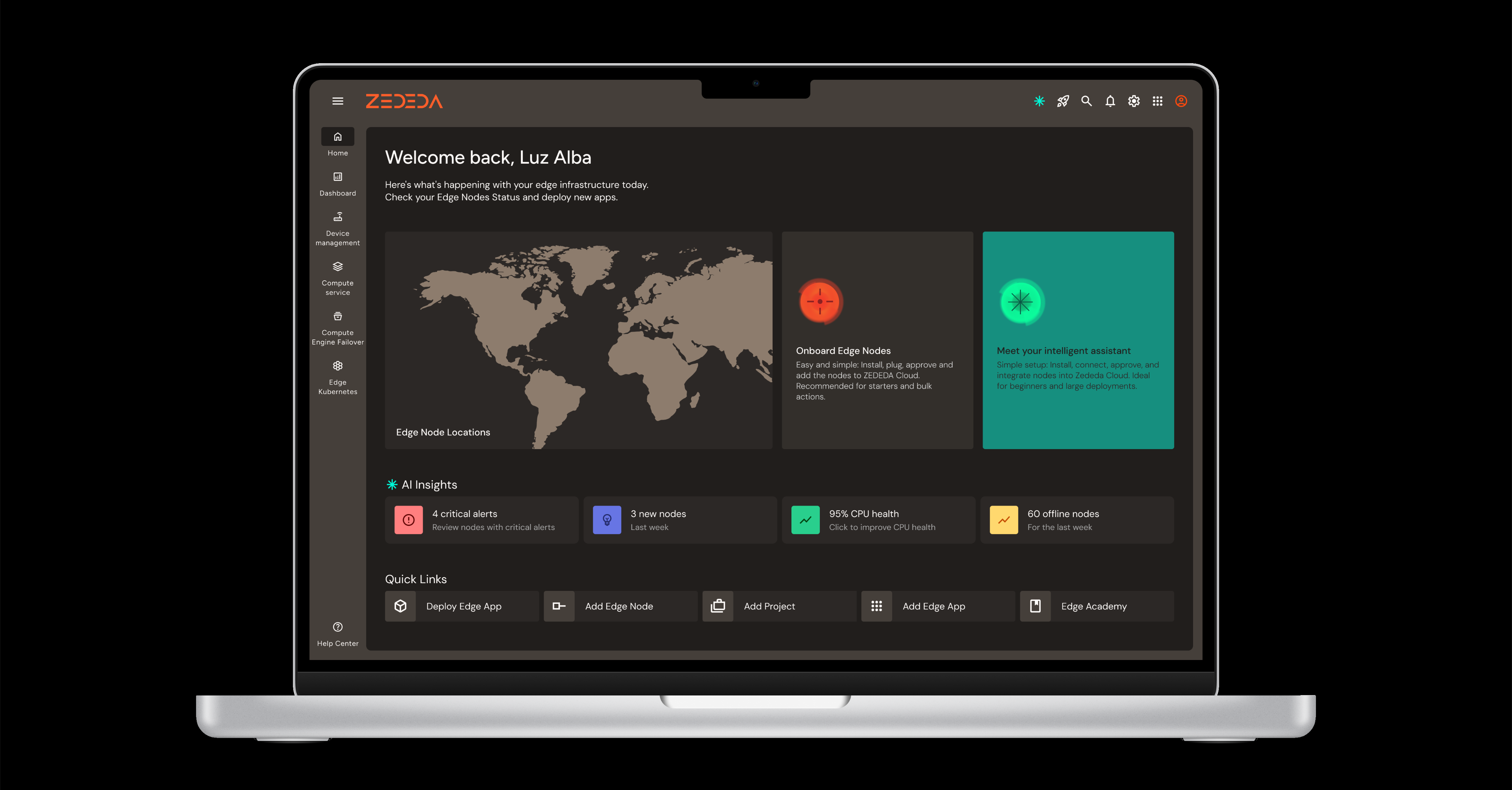
With the direction chosen, the client asked me to apply Aura to three core user flows, the ones that would define how the platform felt day to day. Rather than designing a full product, this phase was about proving the language worked under real conditions: complex data, operational tasks, and AI-assisted decision making.
Onboard a Node
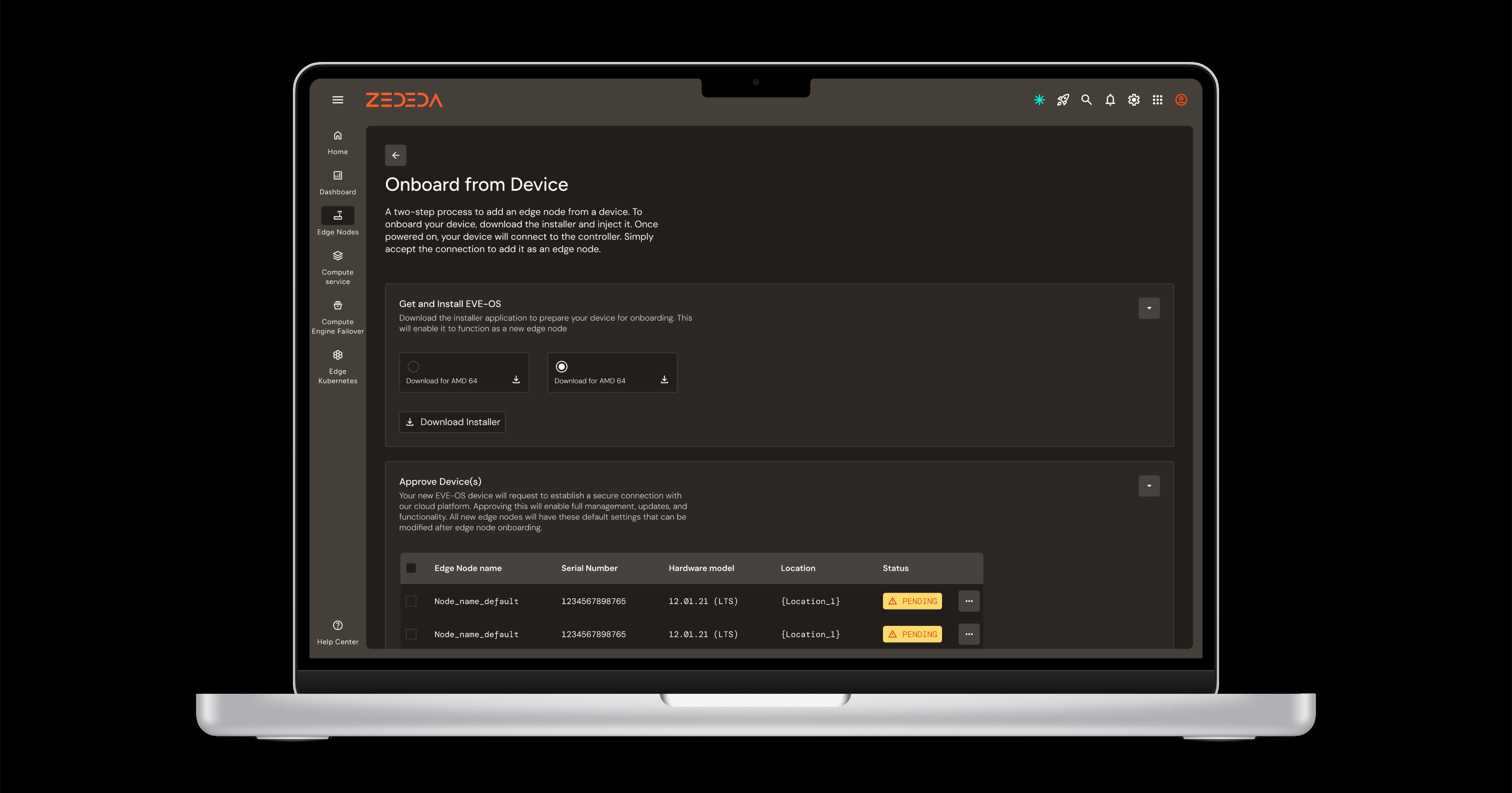
Node onboarding is the first real task a new user performs, and in an edge computing platform it sets the tone for everything that follows. I designed a step-by-step flow that broke the process into clear, manageable stages, reducing the operational complexity to something a user could move through with confidence. Once completed, the newly onboarded node appeared immediately in a structured table view, giving the user instant confirmation that the system had registered their action.
AI Assistant
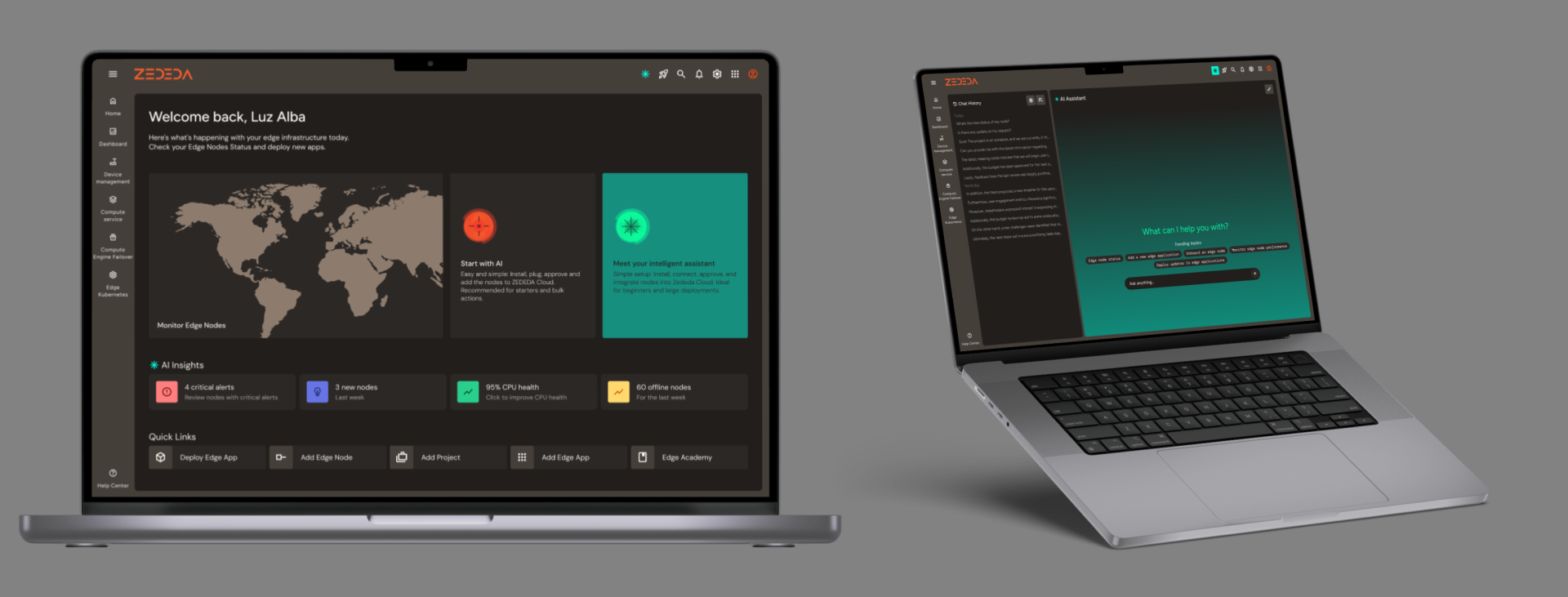
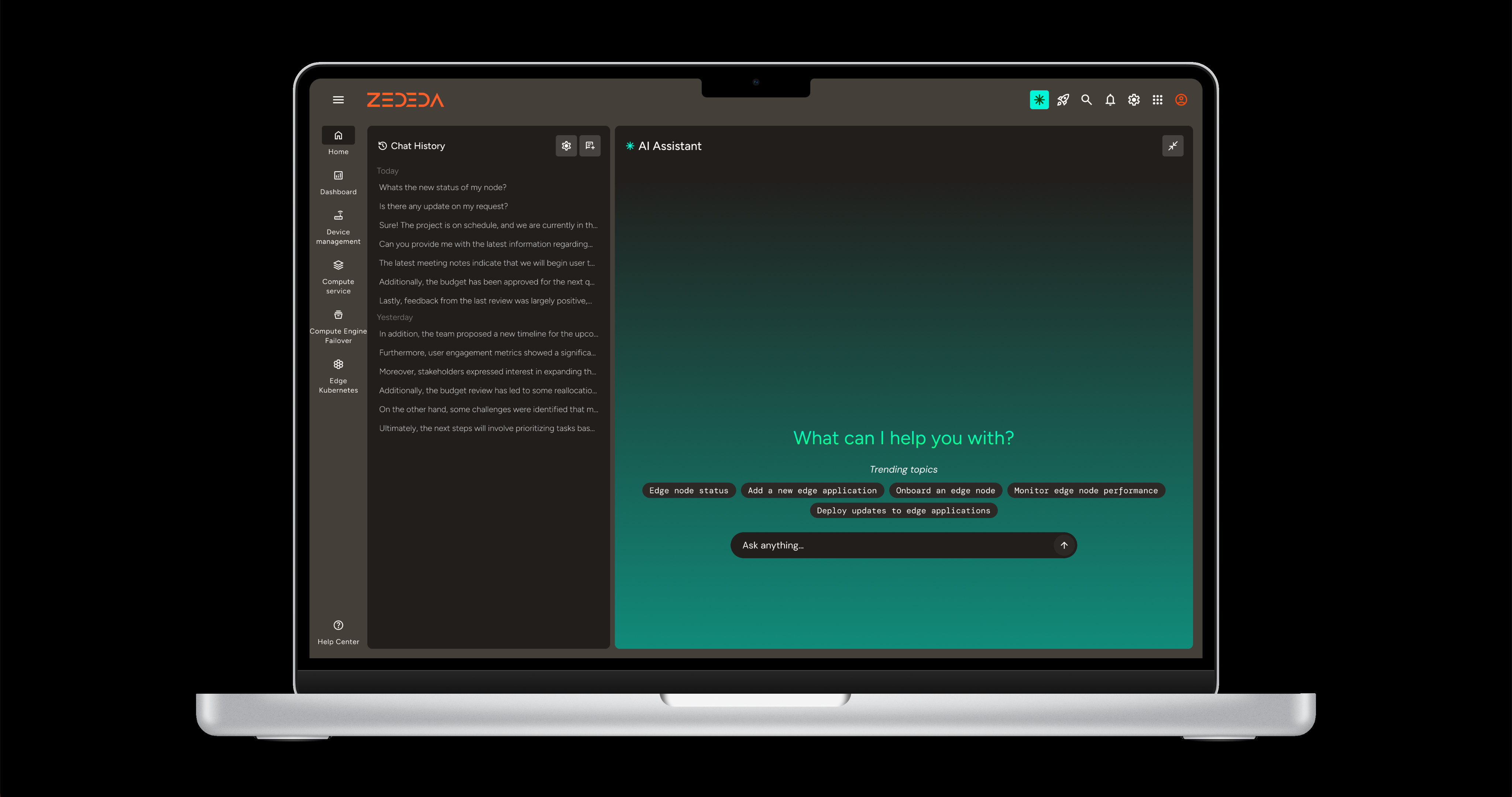
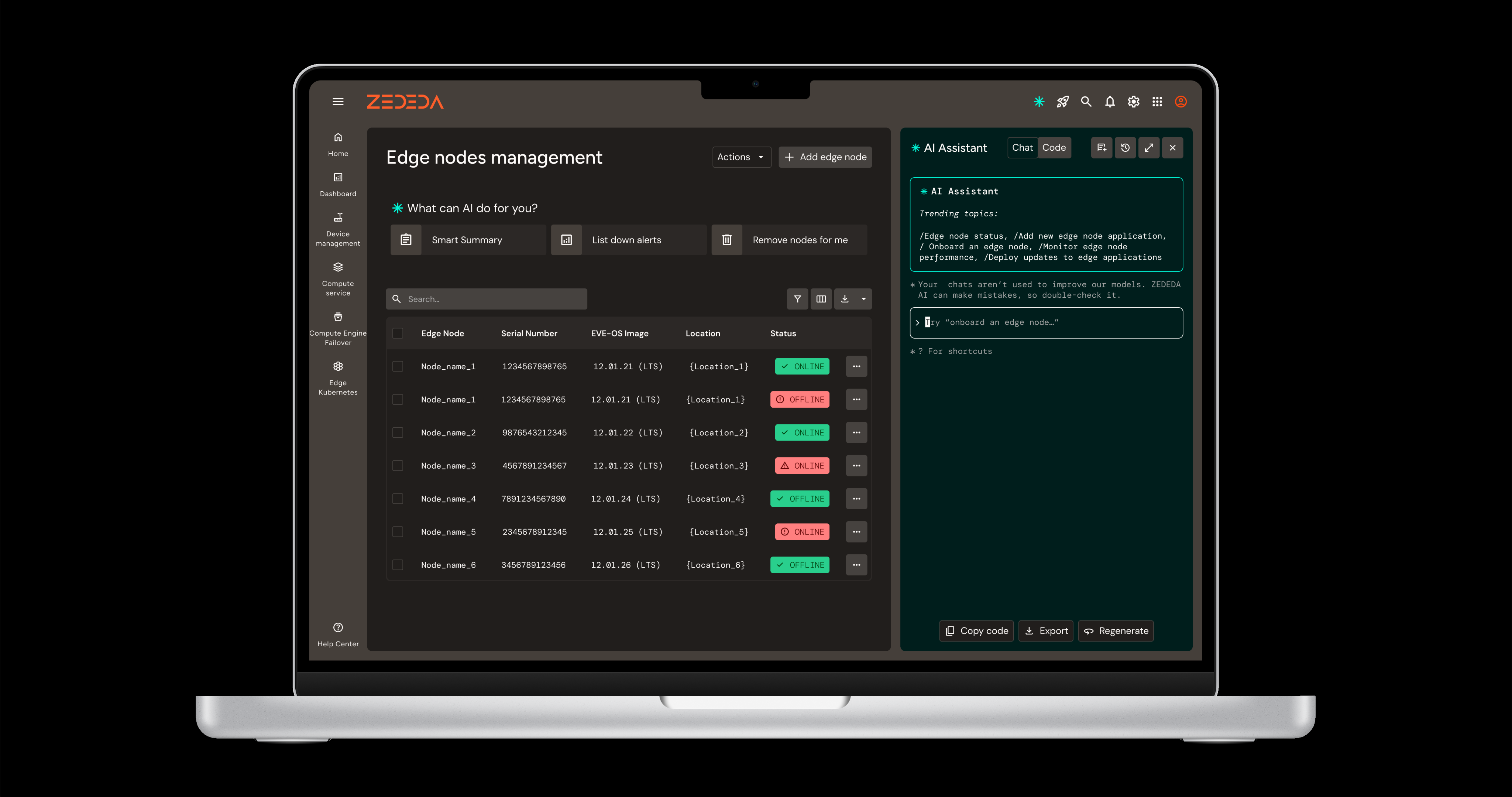
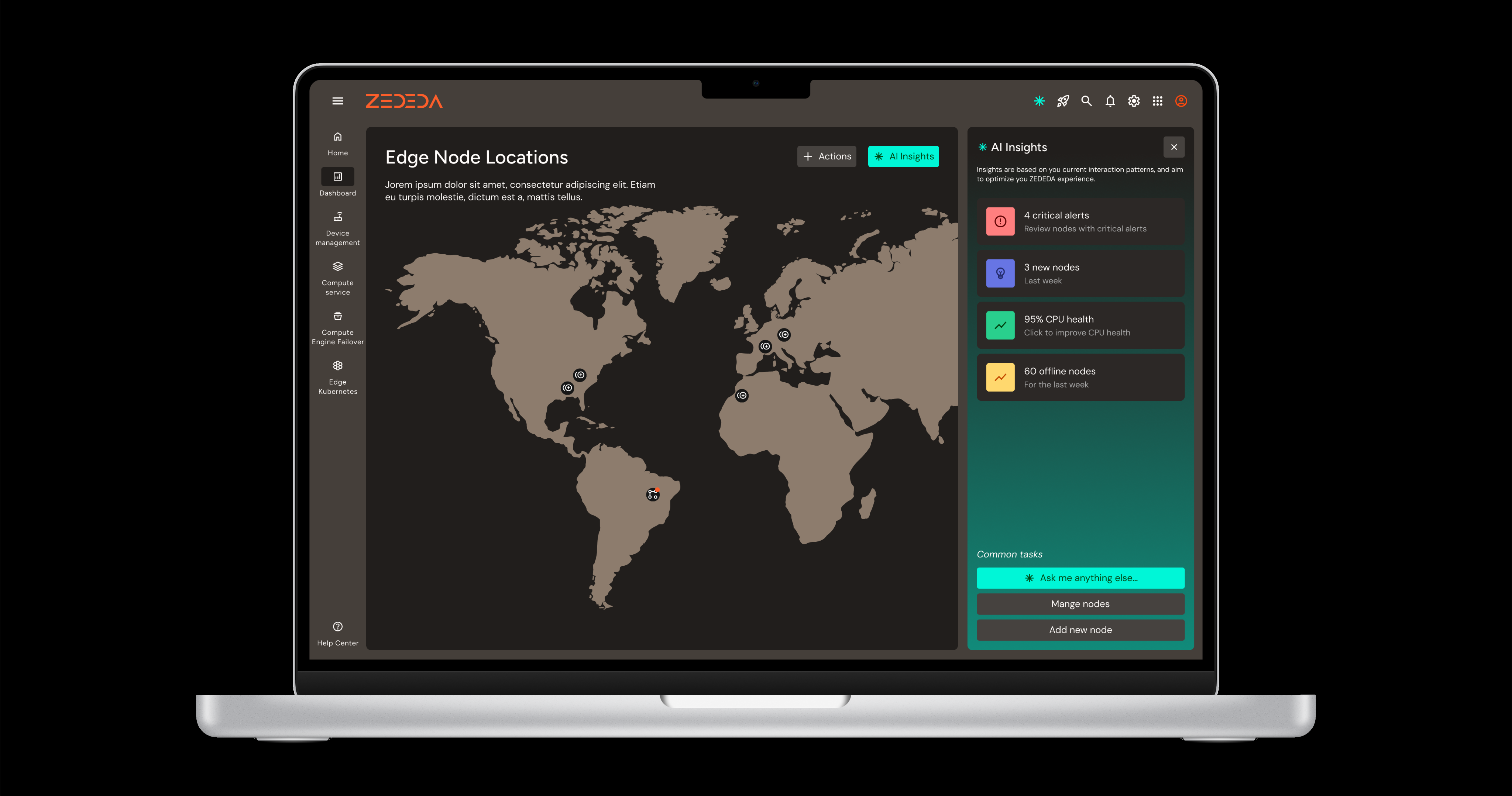
The AI assistant needed to be present without being intrusive, a layer of intelligence the user could always identify and trust. I designed a dedicated icon that persisted across the interface, giving the assistant a consistent visual identity regardless of where it appeared. When engaged, it expanded into a full chat interface that stayed within the Aura language: structured, clear, and precise. The goal was to make AI assistance feel like a natural part of the platform, not a feature bolted on top.
General Navigation and Interaction
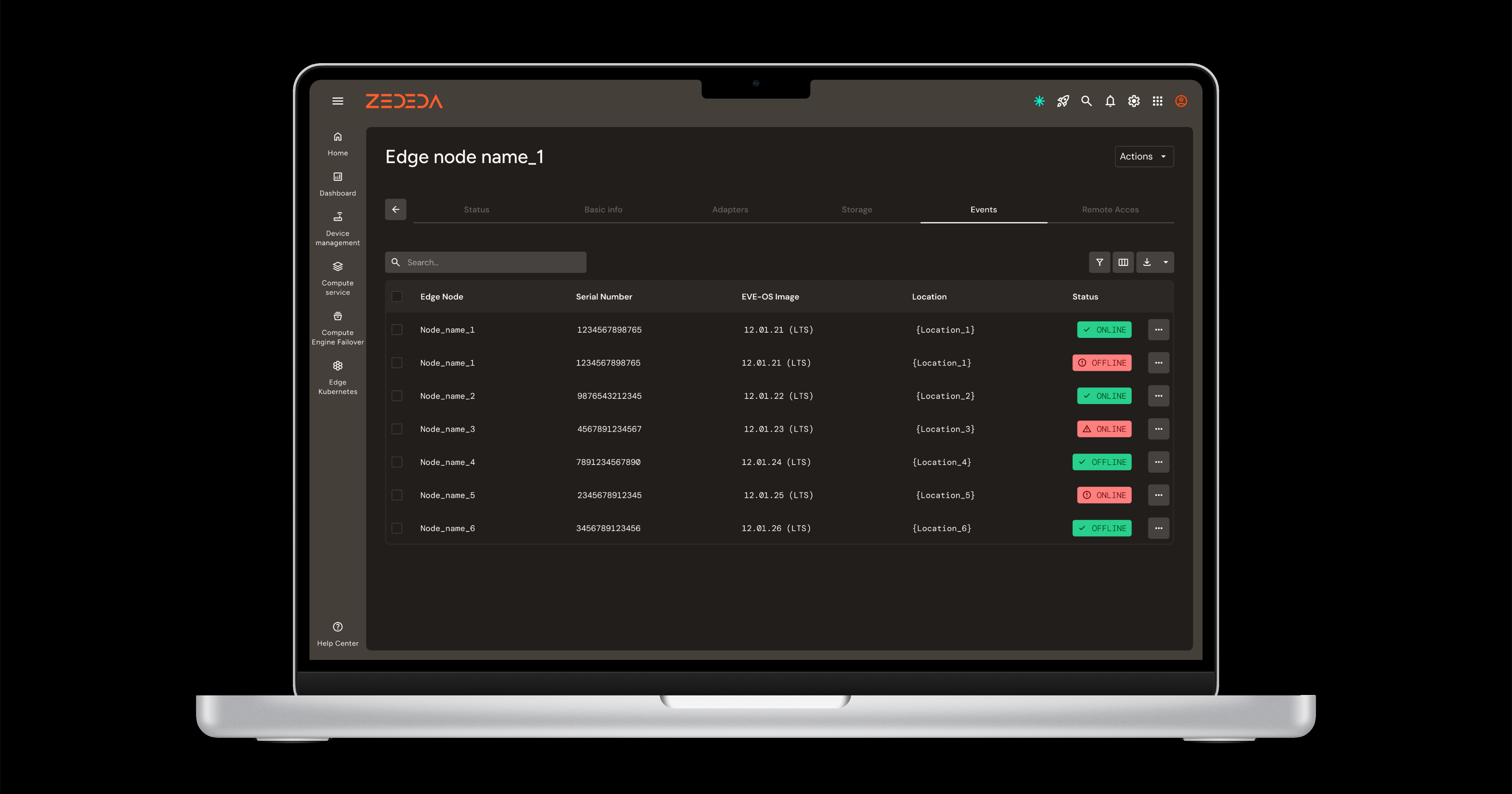
The general interaction model had to hold together a platform with significant information density across multiple functional areas. I structured it across three navigation layers: a top menu for platform-wide actions, a side menu for specific functional areas, and tab navigation within each area to switch between views without losing context. All content was contained within two panels that expanded dynamically based on information density, keeping the interface stable and readable regardless of how much data was being displayed.
Next project
>